> ## Documentation Index
> Fetch the complete documentation index at: https://wb-21fd5541-docs-hivemind-launch.mintlify.site/llms.txt
> Use this file to discover all available pages before exploring further.
# Not Diamond ¬◇
> Not Diamond를 사용해 필요에 맞는 모델로 프롬프트를 라우팅하고, 정확도는 높이면서 비용은 절감하세요
복잡한 LLM 워크플로를 구축할 때는 정확도, 비용 또는 호출 지연 시간에 따라 서로 다른 모델에 프롬프트를 보내야 할 수 있습니다.
이러한 워크플로에서 [Not Diamond][nd]를 사용하면 프롬프트를 필요에 맞는 모델로 라우팅하여,
정확도는 높이고 모델 비용은 절감할 수 있습니다.
## 시작하기
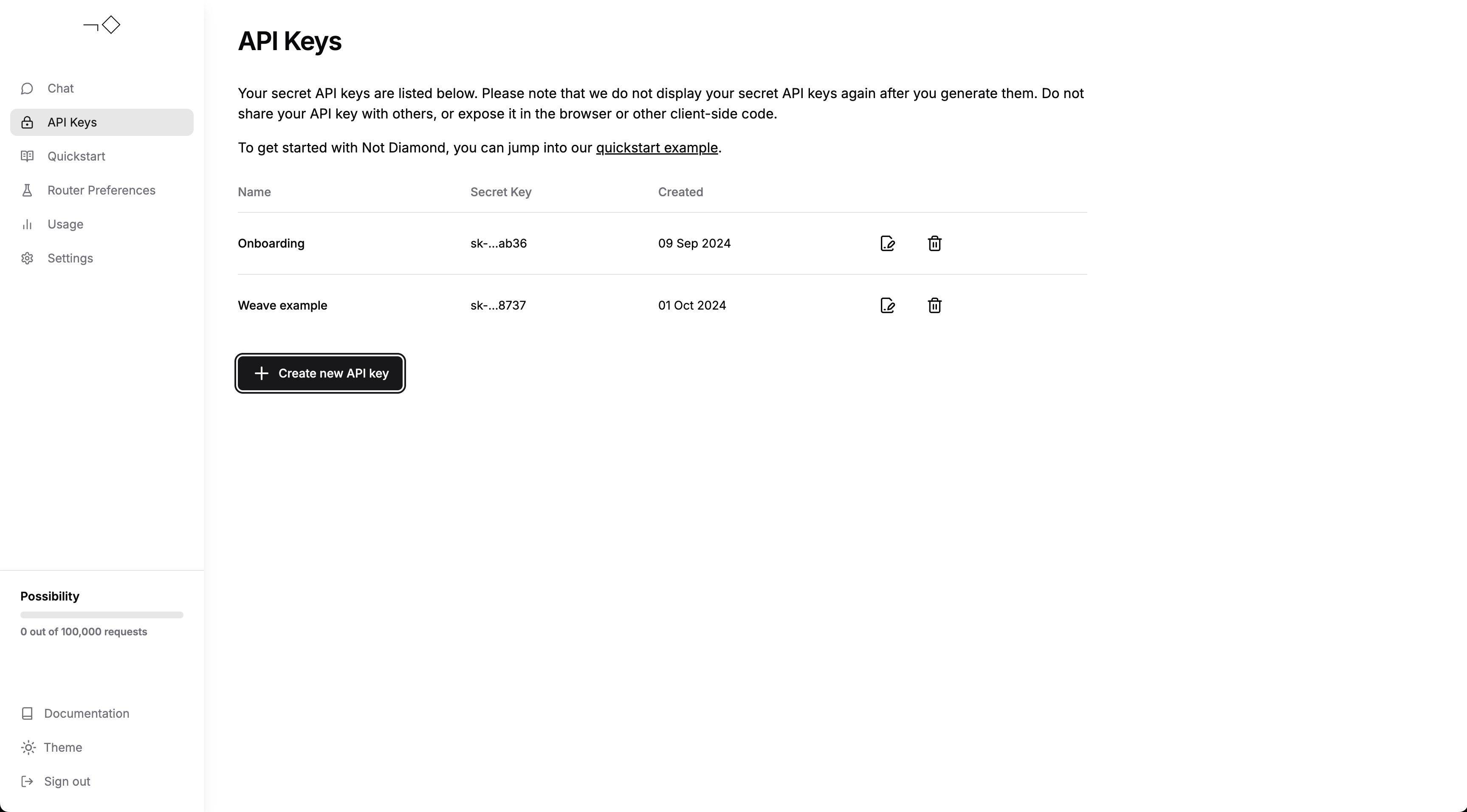
[계정을 생성][account]하고 [API 키를 발급][keys]했는지 확인한 다음, API
키를 `NOTDIAMOND_API_KEY`라는 이름의 환경 변수에 추가하세요.
 이제 다음을 할 수 있습니다.
* \[퀵스타트 가이드]를 사용해 보거나,
* W\&B Weave와 Not Diamond를 사용해 [맞춤형 라우터를 구축][custom router]하거나,
* [Not Diamond와 채팅][chat]하여 라우팅이 실제로 어떻게 동작하는지 확인할 수 있습니다.
이제 다음을 할 수 있습니다.
* \[퀵스타트 가이드]를 사용해 보거나,
* W\&B Weave와 Not Diamond를 사용해 [맞춤형 라우터를 구축][custom router]하거나,
* [Not Diamond와 채팅][chat]하여 라우팅이 실제로 어떻게 동작하는지 확인할 수 있습니다.
## 트레이싱
Weave는 [Not Diamond의 Python 라이브러리][python]와 통합되어 [API 호출을 자동으로 기록][ops]합니다.
워크플로 시작 시 `weave.init()`만 실행하면 되고, 그다음에는 평소처럼 라우팅된
provider를 계속 사용하면 됩니다:
```python lines theme={null}
from notdiamond import NotDiamond
import weave
weave.init('notdiamond-quickstart')
client = NotDiamond()
session_id, provider = client.chat.completions.model_select(
messages=[
{"role": "system", "content": "You are a helpful assistant."},
{"role": "user", "content": "Concisely explain merge sort."}
],
model=['openai/gpt-4o', 'anthropic/claude-3-5-sonnet-20240620']
)
print("LLM called: ", provider.provider) # openai, anthropic 등
print("Provider model: ", provider.model) # gpt-4o, claude-3-5-sonnet-20240620 등
```
## 맞춤형 라우팅
직접 \[맞춤형 라우터]를 [Evaluations][evals]에서 트레이닝해, Not Diamond가
특정 사용 사례에 맞춰 평가 성능에 따라 프롬프트를 라우팅하도록 할 수도 있습니다.
먼저 맞춤형 라우터를 트레이닝하세요:
```python lines theme={null}
from weave.flow.eval import EvaluationResults
from weave.integrations.notdiamond.custom_router import train_router
# gpt-4o와 Claude 3.5 Sonnet에 대한 Evaluation 빌드
evaluation = weave.Evaluation(...)
gpt_4o = weave.Model(...)
sonnet = weave.Model(...)
model_evals = {
'openai/gpt-4o': evaluation.get_eval_results(gpt_4o),
'anthropic/claude-3-5-sonnet-20240620': evaluation.get_eval_results(sonnet),
}
preference_id = train_router(
model_evals=model_evals,
prompt_column="prompt",
response_column="actual",
language="en",
maximize=True,
)
```
이 preference ID를 모든 `model_select` 요청에서 재사용하면 프롬프트를 라우팅해
평가 데이터에서 성능을 극대화하고 비용을 최소화할 수 있습니다:
```python lines theme={null}
from notdiamond import NotDiamond
client = NotDiamond()
import weave
weave.init('notdiamond-quickstart')
session_id, provider = client.chat.completions.model_select(
messages=[
{"role": "system", "content": "You are a helpful assistant."},
{"role": "user", "content": "Concisely explain merge sort."}
],
model=['openai/gpt-4o', 'anthropic/claude-3-5-sonnet-20240620'],
# 이 preference ID를 전달하면 맞춤형 라우터를 재사용합니다
preference_id=preference_id
)
print("LLM called: ", provider.provider) # openai, anthropic 등
print("Provider model: ", provider.model) # gpt-4o, claude-3-5-sonnet-20240620 등
```
## 추가 지원팀
추가 도움이 필요하면 [문서][docs]를 확인하거나 [지원팀에 문의][support]하세요.
[account]: https://app.notdiamond.ai
[chat]: https://chat.notdiamond.ai
[custom router]: https://docs.notdiamond.ai/docs/router-training-quickstart
[docs]: https://docs.notdiamond.ai
[evals]: /weave/guides/core-types/evaluations
[keys]: https://app.notdiamond.ai/keys
[nd]: https://www.notdiamond.ai/
[ops]: /weave/guides/tracking/ops
[python]: https://github.com/Not-Diamond/notdiamond-python
[quickstart guide]: https://docs.notdiamond.ai/docs/quickstart-routing
[support]: mailto:support@notdiamond.ai